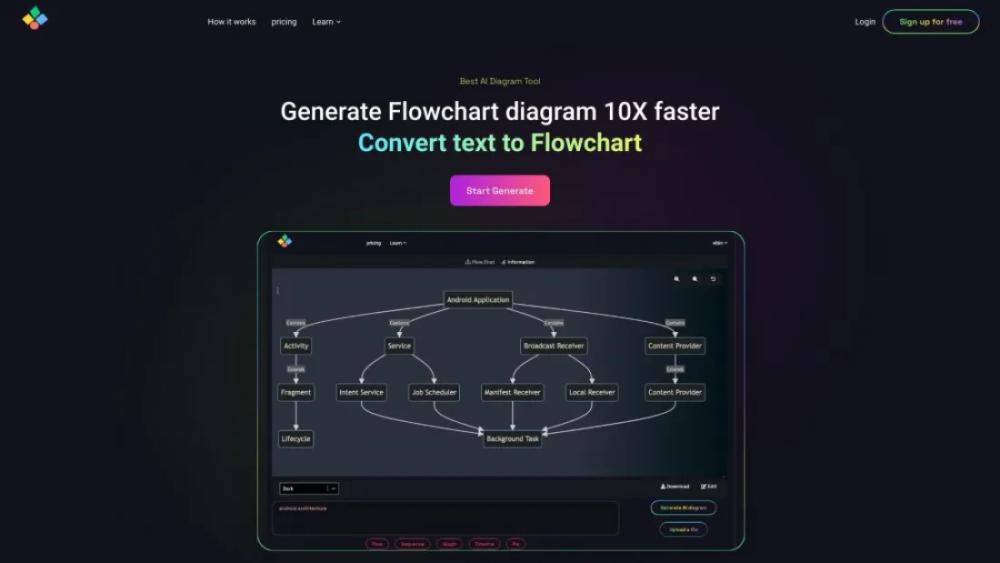
What is AIFlowChart?
This website offers an innovative tool for creating flowcharts effortlessly using artificial intelligence. Users can input their ideas or processes, and the AI automatically generates a visual representation, saving time and enhancing productivity. The platform supports various customization options, allowing users to adjust styles, colors, and layouts to fit their specific needs. It's designed for professionals across different fields, including business, education, and project management. The intuitive interface ensures ease of use, even for those with minimal technical skills. Additionally, the tool provides collaboration features, enabling teams to work together seamlessly on flowchart creation and editing.
AIFlowChart Use Cases
- Project ManagersCreate detailed project workflows to visualize task dependencies and streamline team coordination, ensuring everyone understands their roles and deadlines.
- TeachersDesign educational flowcharts to illustrate complex concepts, making it easier for students to grasp difficult topics through visual representation.
- Business AnalystsMap out business processes to identify inefficiencies and areas for improvement, facilitating better decision-making and strategic planning.
- DevelopersOutline software architecture and development workflows, ensuring clear communication and understanding among team members during the coding process.
- Marketing TeamsPlan and visualize marketing campaigns, tracking each step from initial concept to execution, to maintain consistency and achieve better results.
Who is Using AIFlowChart?
- TheWritercan use this service to create detailed flowcharts outlining plot structures, character development, and chapter breakdowns, enhancing the planning and organization of their manuscripts.
- ADesignercan leverage this tool to map out user experience (UX) flows, visualizing user interactions and design elements to create more intuitive and user-friendly interfaces.
- TheProject Managercan utilize the service to streamline project timelines, track task dependencies, and ensure all team members are aligned with the project's progress and milestones.
- AData Scientistcan benefit from this tool by visualizing complex data processes, creating clear and concise flowcharts for data preprocessing, modeling, and analysis steps.
- TheGame Designercan use the service to map out game mechanics, story arcs, and level designs, providing a clear blueprint for development and ensuring a cohesive gaming experience.
AIFlowChart Key Features
- AI-powered flowchart generation
- Customizable templates and themes
- Real-time collaboration
- Export to multiple formats
- User-friendly drag-and-drop interface
FAQ
What is AI Flowchart and how does it work?
AI Flowchart is an online tool that allows you to create and visualize flowcharts using artificial intelligence. It simplifies the process of designing complex workflows by providing intuitive drag-and-drop functionality and AI-driven suggestions.
Do I need any prior experience to use AI Flowchart?
No, AI Flowchart is designed to be user-friendly and accessible to everyone, regardless of their experience level. The interface is intuitive, and there are tutorials available to help you get started.
Can I collaborate with my team on a flowchart?
Yes, AI Flowchart supports real-time collaboration, allowing multiple users to work on the same flowchart simultaneously. You can share your projects with team members and track changes in real-time.
Is there a free version of AI Flowchart available?
Yes, AI Flowchart offers a free version with basic features. For more advanced functionalities and additional resources, you can upgrade to a premium plan.
How secure is my data on AI Flowchart?
AI Flowchart takes data security very seriously. All data is encrypted and stored securely. Additionally, the platform complies with industry standards and regulations to ensure your information is protected.