

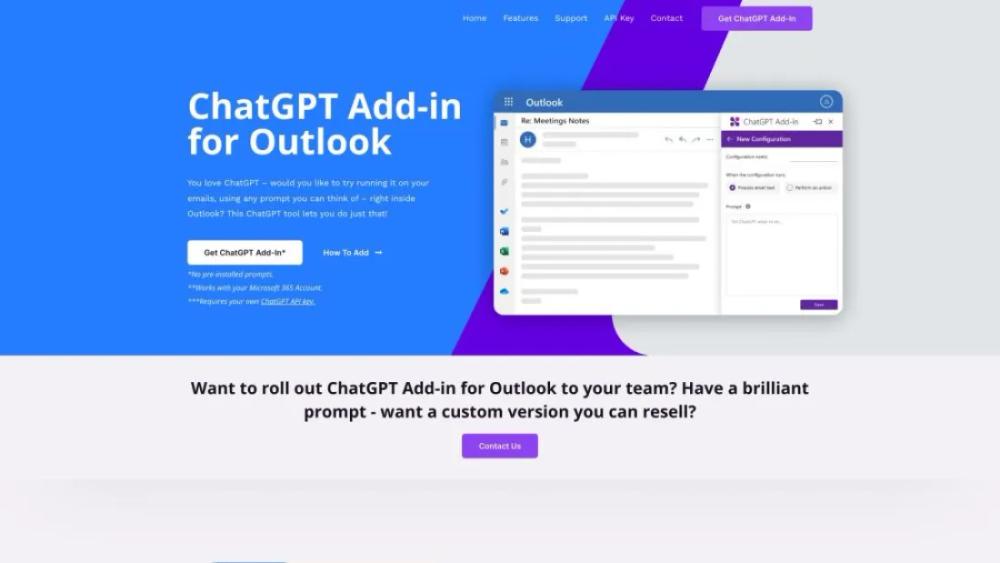
What is ChatGPT for Outlook?
This website offers a powerful tool that integrates advanced AI capabilities directly into your email platform. Designed to enhance productivity and streamline communication, the add-in leverages cutting-edge technology to provide smart responses, draft emails, and manage calendar events efficiently. Users can benefit from AI-driven insights and recommendations, making email management more effective and less time-consuming. The platform is user-friendly and easy to install, ensuring a seamless experience for both individual and corporate users. With a focus on security and privacy, it ensures that your data remains protected while optimizing your workflow.
ChatGPT for Outlook Use Cases
- For Sales TeamsQuickly draft personalized email responses to potential clients by leveraging AI to suggest relevant content and improve engagement rates.
- For Customer SupportAutomatically generate accurate and helpful responses to common customer queries, reducing response time and enhancing customer satisfaction.
- For HR DepartmentsCreate detailed and tailored job descriptions or candidate follow-up emails, ensuring clear communication and saving time on repetitive tasks.
- For Marketing TeamsDevelop compelling email campaigns with AI-generated content ideas and subject lines that can boost open and click-through rates.
- For ExecutivesDraft well-structured and professional emails for internal and external communication, ensuring clarity and effectiveness in messaging.
Who is Using ChatGPT for Outlook?
- Writer: Enhance productivity by generating content ideas, drafting emails, and refining written communication. Save time on routine tasks and focus on creative writing.
- Marketer: Streamline campaign planning and execution by automating email responses, generating marketing copy, and analyzing customer feedback. Improve efficiency and campaign effectiveness.
- Project Manager: Simplify project coordination by automating status updates, generating progress reports, and managing team communication. Focus on strategic planning and execution.
- Email Marketing Specialist: Optimize email campaigns by automating responses, generating personalized email content, and analyzing campaign performance. Enhance engagement and conversion rates.
- Journalist: Expedite research and communication by drafting interview questions, summarizing articles, and automating email responses. Focus on investigative reporting and storytelling.
ChatGPT for Outlook Key Features
- Seamless Email Integration
- AI-Powered Email Drafting
- Real-Time Language Translation
- Automated Email Summarization
- Contextual Email Responses
FAQ
What is ChatGPT Outlook Add-in?
ChatGPT Outlook Add-in is a tool that integrates OpenAI's ChatGPT with Microsoft Outlook to enhance email communication through AI-powered responses and suggestions.
How do I install the ChatGPT Outlook Add-in?
You can install the ChatGPT Outlook Add-in by visiting the Microsoft AppSource or the Office Store, searching for the add-in, and following the installation instructions provided.
Is the ChatGPT Outlook Add-in free to use?
The pricing details for the ChatGPT Outlook Add-in can vary. Please check the official website or the Microsoft AppSource page for the most up-to-date information on costs and subscription plans.
How does the ChatGPT Outlook Add-in improve my email productivity?
The add-in helps improve email productivity by providing AI-generated responses, suggestions for email content, grammar and spell-check, and other features that streamline the email drafting process.
Is my data secure when using the ChatGPT Outlook Add-in?
Yes, data security is a priority. The ChatGPT Outlook Add-in adheres to strict privacy and security standards to ensure that your data is protected while using the service.

