

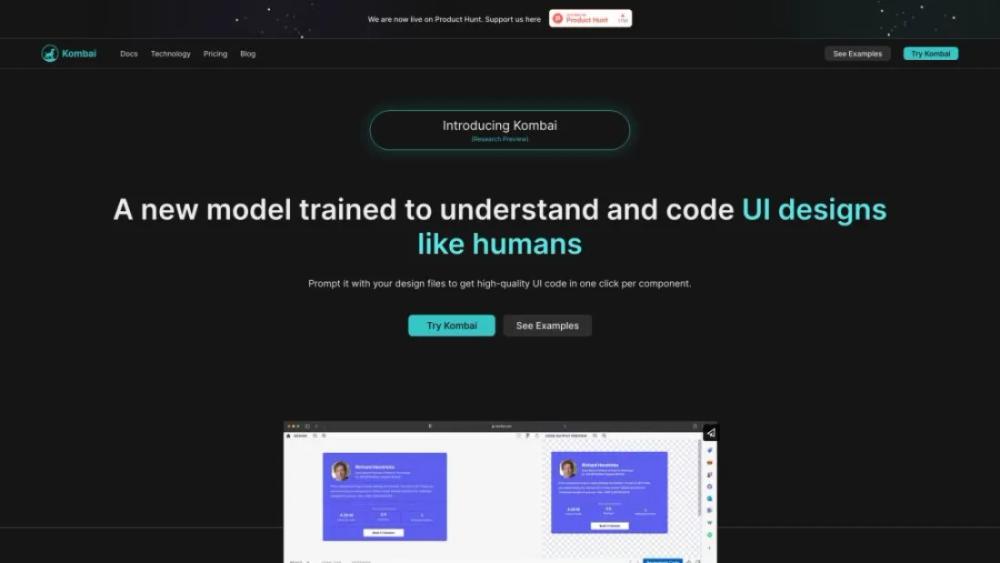
What is Kombai?
This website offers an advanced AI-powered tool designed to streamline the process of converting Figma designs into React code. It aims to significantly reduce development time by automating the transformation of design elements into clean, reusable components. Users can expect features such as real-time code generation, seamless integration with popular development environments, and support for complex design structures. The platform also provides detailed documentation and tutorials to assist users in getting started quickly. Ideal for designers and developers, this tool enhances collaboration and efficiency, enabling faster project turnaround and higher-quality code output.
Kombai Use Cases
- For Web DevelopersEfficiently convert Figma designs into clean, responsive HTML and CSS code, saving time and reducing manual coding errors.
- For UI/UX DesignersQuickly transform your design prototypes into functional web components, allowing for rapid testing and iteration.
- For Project ManagersStreamline the workflow by automating the handoff process between designers and developers, ensuring faster project completion.
- For FreelancersEnhance your service offerings by providing clients with both design and development, increasing your marketability and revenue.
- For StartupsAccelerate your product development cycle by converting design mockups into deployable code, reducing time-to-market.
Who is Using Kombai?
- Designer: Streamline your design process by collaborating with team members and clients in real-time, ensuring everyone is on the same page. Easily manage feedback and revisions to deliver high-quality designs efficiently.
- Animator: Enhance your animation projects by organizing assets, tracking progress, and collaborating with team members. This tool helps you maintain consistency and meet deadlines with ease.
- Game Designer: Coordinate with developers, artists, and writers to create cohesive game experiences. Use the platform to manage project timelines, asset creation, and feedback loops effectively.
- Project Manager: Keep your projects on track by managing tasks, timelines, and team collaboration. This service provides a centralized hub for all project-related activities, ensuring smooth execution.
- Content Marketing Specialist: Plan, create, and distribute content more effectively by collaborating with writers, designers, and marketers. Track the performance of your campaigns and make data-driven decisions to optimize results.
Kombai Key Features
- Automated UI component extraction
- Cross-platform compatibility
- Seamless integration with design tools
- Real-time collaboration features
- Customizable component library
FAQ
What is Kombai and what does it offer?
Kombai is a platform that provides tools and services for automating web development tasks, including code generation, project management, and collaboration features.
How can I get started with Kombai?
You can get started with Kombai by signing up on our website, creating a new project, and exploring the various tools and features available to streamline your web development process.
Is Kombai suitable for beginners?
Yes, Kombai is designed to be user-friendly and accessible for both beginners and experienced developers. The platform offers tutorials and documentation to help you get up to speed quickly.
What kind of support does Kombai provide?
Kombai offers a range of support options including a comprehensive help center, community forums, and direct customer support to assist you with any questions or issues you may encounter.
Can I integrate Kombai with other tools and services?
Yes, Kombai supports integration with various third-party tools and services, allowing you to seamlessly incorporate it into your existing workflow and enhance your development process.


